OpenRouter for Python Apps: One API Key, Dozens of Models, Zero Integration Headaches
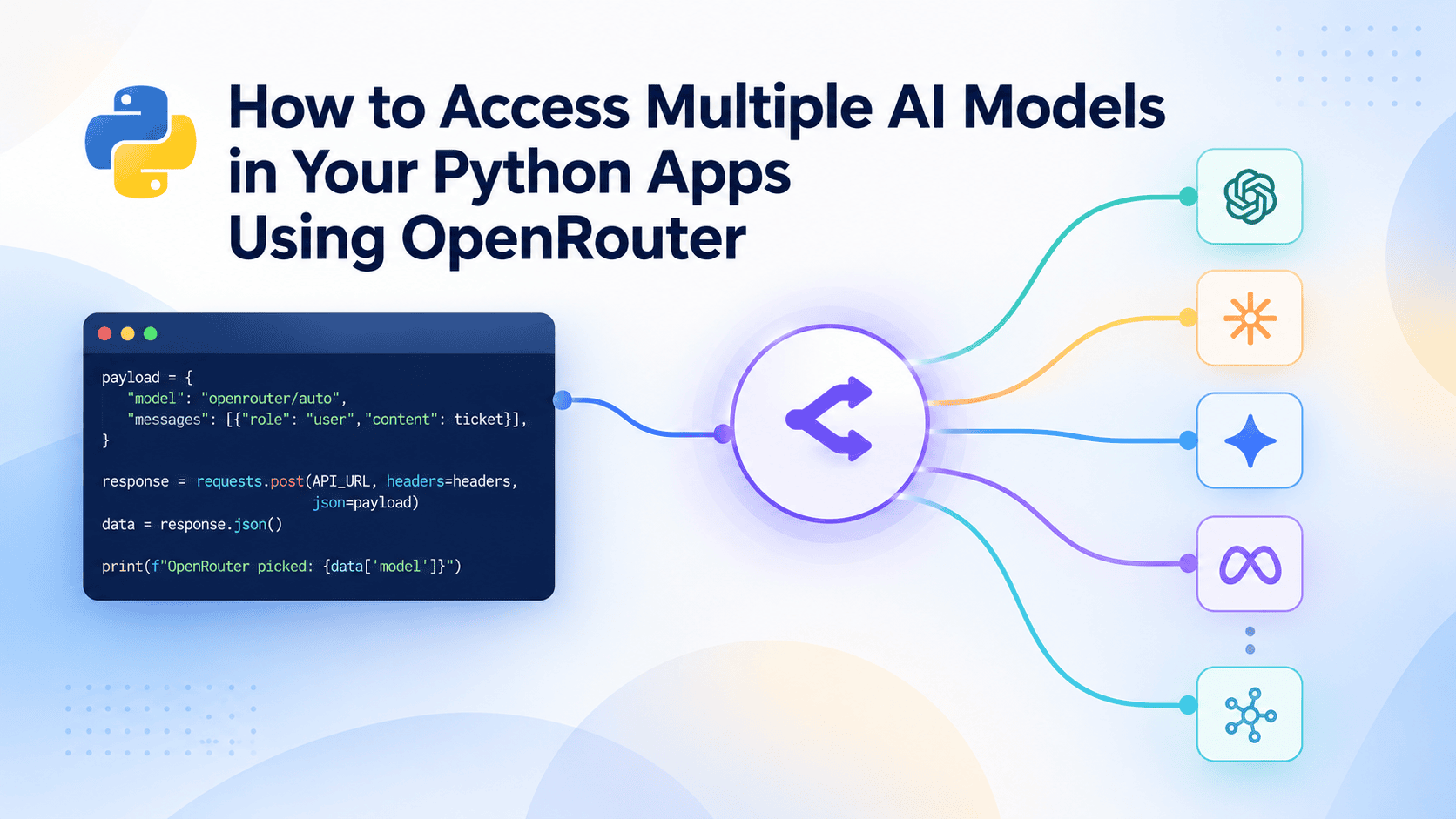
OpenRouter is an API layer that puts dozens of AI model providers behind a single, unified endpoint, and for Python developers it turns provider comparison into a one-string experiment. This walkthrough covers what the layer actually is, how to get a first call running quickly, how to use the free routing without attaching a payment method, and how to turn the whole thing into a model comparison harness that loops over GPT, Claude and Llama IDs and prints each reply next to its source.
What OpenRouter actually is
Under the hood, OpenRouter fronts dozens of model providers. To your code, it looks like one API. Requests are plain HTTP: a single POST endpoint with the API key in the headers and a messages list in the body. No SDK is required to send the first call.
The second half of the value is normalization. Responses come back in the same OpenAI-compatible format regardless of which provider produced them, so the reply text is always read from:
data["choices"][0]["message"]["content"]That single line is the quiet payoff. Without normalization, every provider brings its own response shape, its own error format and its own quirks, and your parsing code grows a branch for each one. With it, the parsing code is written once.
Why a unified API layer matters for engineers
The usual cost of comparing two providers is not the model call. It is everything around it: reading a second set of docs, installing a second SDK, wiring a second authentication path, and writing a parser for a second response schema. Multiply by three providers and the comparison project has quietly become a week of integration work before you have evaluated a single output.
OpenRouter collapses that into a string. Model IDs are written as provider/model-name, and changing the model field in the payload is the entire migration. The Python code stays the same regardless of which provider answers.
It is the same move as pulling interchangeable algorithms behind a common interface instead of branching on model type, a refactor laid out in 7 Python Design Patterns That Make Data Science Code Maintainable. A routing layer applies that idea at the infrastructure level: interchangeable providers behind one call signature.
Setup in five minutes
The prerequisites are modest: basic Python, pip, and the ability to set an environment variable in a terminal. No AI or machine learning background is needed.
- Create a free account at OpenRouter.
- Generate an API key in the Keys section. The defaults are fine.
- Store the key as an environment variable so it never lands in a repository.
- Install the only dependency the tutorial needs:
pip install requestsAn official openrouter SDK also exists, and it offers typed client objects instead of raw dictionaries. This walkthrough deliberately uses requests so the requests and responses stay visible as plain JSON. When something goes wrong, you want to see the payload, not a typed wrapper’s interpretation of it.
The request shape
The first call needs nothing but the endpoint, the headers and a body. The key goes in the headers, the conversation goes in a messages list, and the model goes in the payload:
import os
import requests

response = requests.post(
    "https://openrouter.ai/api/v1/chat/completions",
    headers={
        "Authorization": f"Bearer {os.environ['OPENROUTER_API_KEY']}",
        "Content-Type": "application/json",
    },
    json={
        "model": "openrouter/free",
        "messages": [
            {"role": "user", "content": "Explain vector databases in two sentences."}
        ],
    },
)

data = response.json()
print(data["choices"][0]["message"]["content"])
That is the whole integration. Everything else in this article is a variation on the model field.
Free-tier routing without a payment method
Some model IDs carry a :free suffix and route to fully free-to-use versions. No payment method is required, and the entire tutorial can run at zero cost using these.
There is also a router that does the selection for you. Setting model to openrouter/free hands the choice to OpenRouter’s Free Models Router, which always picks from currently available free models and never charges. For prototyping, it is the safest default: you cannot accidentally spend money by mistyping a model name.
It is worth keeping that distinct from openrouter/auto, which picks whatever model best fits the prompt and can include paid ones. The two strings look similar and behave very differently at billing time. If cost matters, use the free router; if quality matters more than cost, use auto and know what you are opting into.
One caveat applies to every ID in this article: model IDs and their availability change over time. Confirm the current list at openrouter.ai/models before you paste an ID into a script, and check whether it carries a :free suffix if you are staying on the zero-cost path.
Building a model comparison harness
Because model is just a string, comparing providers means changing one line. Wrap the request logic in a function that takes model_name as a parameter, then loop:
import os
import requests

def ask(model_name, prompt):
    response = requests.post(
        "https://openrouter.ai/api/v1/chat/completions",
        headers={
            "Authorization": f"Bearer {os.environ['OPENROUTER_API_KEY']}",
            "Content-Type": "application/json",
        },
        json={
            "model": model_name,
            "messages": [{"role": "user", "content": prompt}],
        },
    )
    data = response.json()
    return data["choices"][0]["message"]["content"]

prompt = "Summarize the tradeoffs of batch versus streaming inference."

# Paid examples. IDs change over time; confirm current ones at openrouter.ai/models.
# For a zero-cost run, substitute the :free variants of these models.
for model_name in [
    "openai/gpt-4o-mini",
    "anthropic/claude-3.5-sonnet",
    "meta-llama/llama-3.1-70b-instruct",
]:
    print(f"n=== {model_name} ===")
    print(ask(model_name, prompt))
Three providers, one function, one loop, and each reply printed next to the model that produced it. Swap the list for your own candidates and you have an evaluation harness. It is the cheap first step before anything more elaborate, and the OpenAI Agents SDK walkthrough covers what changes when the program stops being elaborate autocomplete and starts making decisions.
Pitfalls and operational notes
Model IDs can stop responding. Free model availability changes. If a call that worked last week now fails, check openrouter.ai/models filtered to free and confirm the ID still exists. Hardcoding a list of free models into a long-lived script is a maintenance liability; the openrouter/free router exists partly to avoid it.
Free tiers have limits. The source material does not spell out rate limits or quota behavior for the free models, so treat throughput as something to measure rather than assume. For a comparison harness run interactively, this rarely bites. For anything batch, add retry logic and log failures with the model name attached.
Verify fallback semantics before relying on them. The source text cuts off mid-sentence in the section about specifying a model by name, so the details of named-model behavior are incomplete. Fallback behavior is exactly the kind of detail that determines whether a production incident is a graceful degradation or an outage. Run your own test: point a request at a model ID you know is unavailable and observe what comes back before you build a dependency on it.
Treat the client as a library you have to maintain. The wrapper function above is small, but it is still code that other code depends on. The packaging concerns in Beyond setup.py: Five Best Practices for Building Robust Python AI Libraries apply: timeouts, malformed responses and non-200 status codes are the failure modes, and a bare response.json() call handles none of them. Add a timeout, check the status code, and decide what your function returns when the provider does not answer.
When to reach for OpenRouter and when not to
Reach for it when the job is prototyping, provider comparison or multi-model evaluation. A free account, one dependency, and a model string that lets you put three providers side by side in an afternoon. The openrouter/free router makes the experiment cost nothing while you decide what is worth paying for.
Look elsewhere when production requirements point the other way. If you need provider-specific features that the unified layer does not expose, a direct billing relationship with a provider, or guarantees about exactly which model serves a given request, the abstraction becomes a constraint rather than a convenience. The routing layer is optimized for breadth and uniformity; specialized needs tend to live in the gaps between those.
For most teams the sensible sequence is: start on the free router, build the comparison harness, then let the outputs decide which provider earns a direct integration.